Think
EDUEducation AGI OS
Think EDU is an education AGI OS for K12: one thinking AI, Dr. Siwei, connecting students, teachers, schools, and parents. It works through problems step by step on a blackboard, groups marking by the step students got wrong, drafts tonight’s homework from last night’s answers, and flags trouble before it grows — every step leaves evidence, and no key conclusion stands without a teacher’s sign-off.
Says so when it can’t · Student data never sold · Teachers sign off key conclusions · Every step replayable
A new charter for education

Four portals, one Dr. Siwei
One AI, one body of evidence — doing four different jobs for four different people.
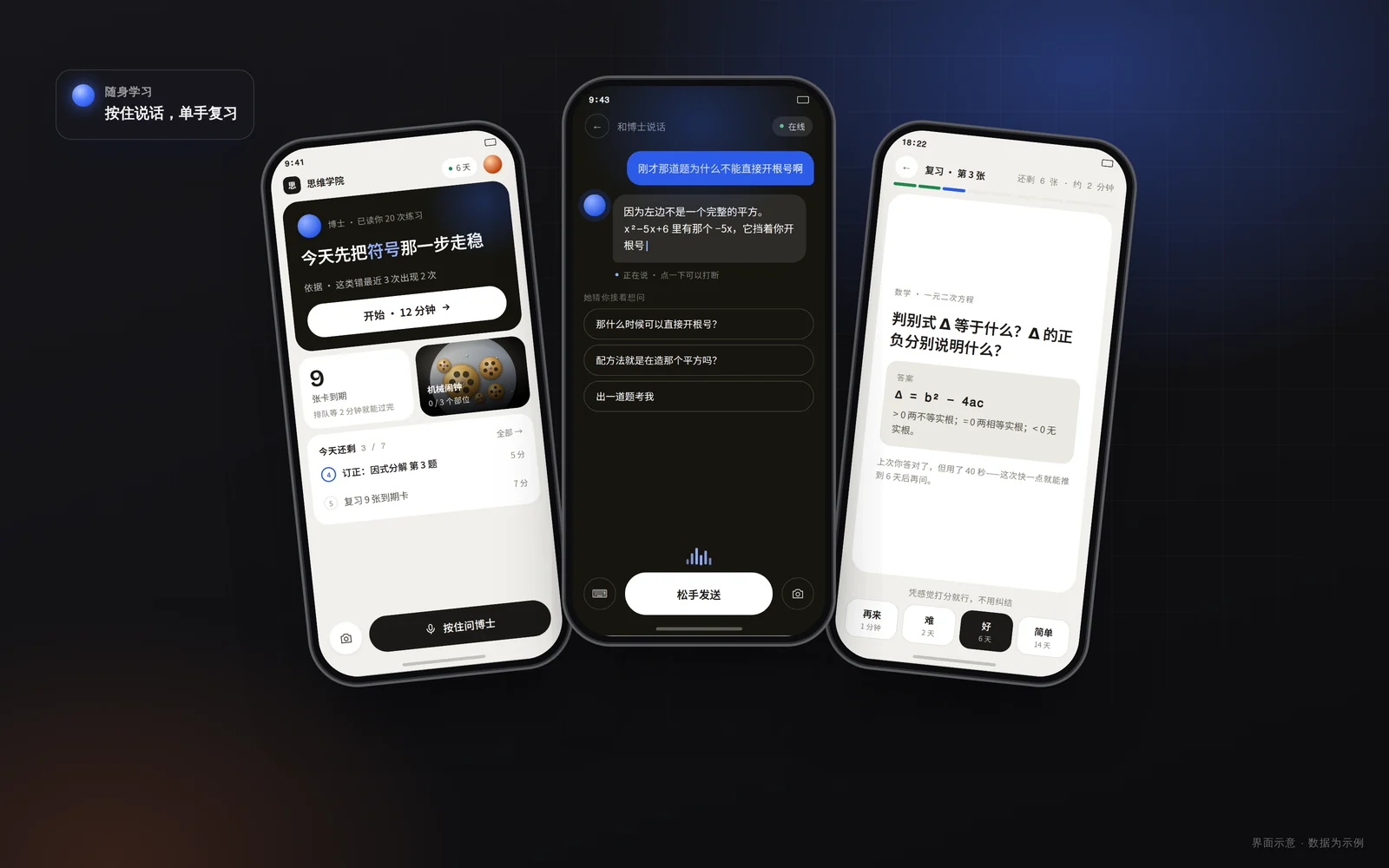
Students · Explains it — and waits for you to get it
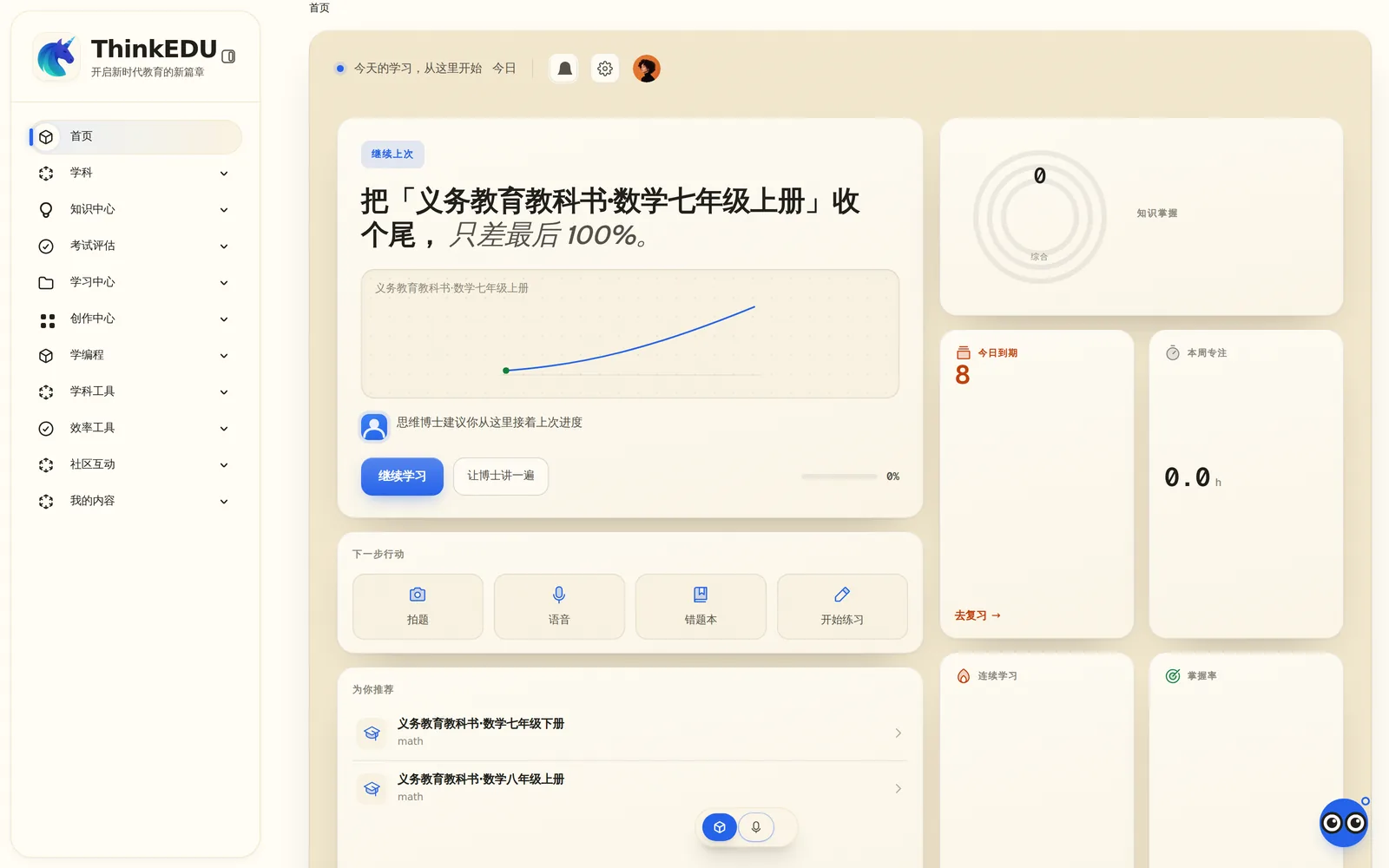
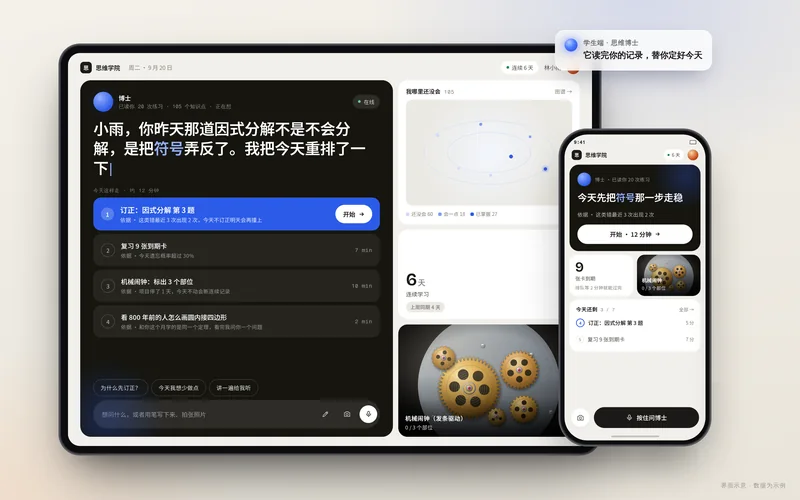
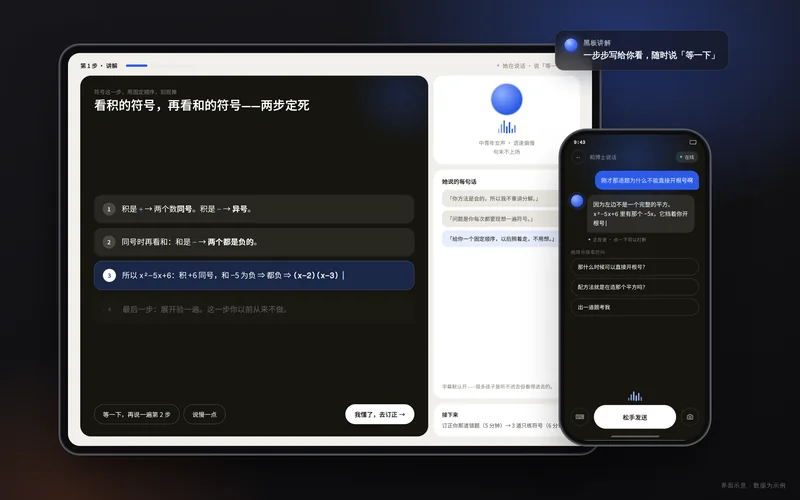
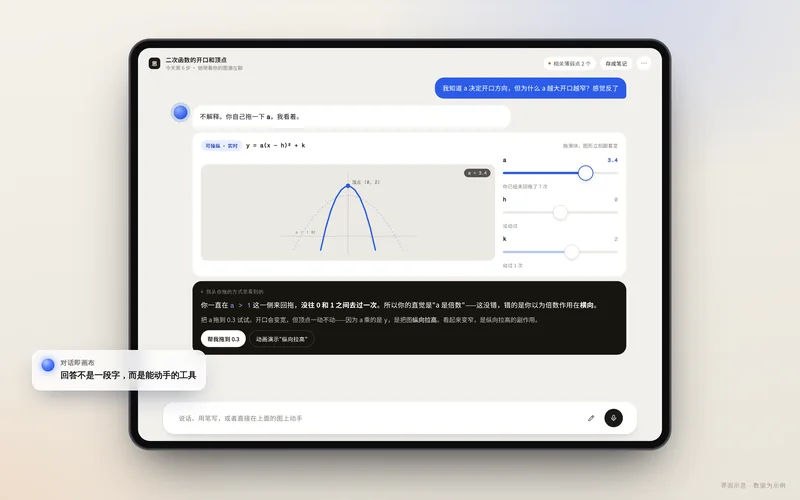
Dr. Siwei works through a problem on a blackboard in roughly 30-second steps, and you can cut in with a question at any point. When you correct your work it circles the step that went wrong instead of handing over the answer, and practice on the same problem type proves a habit has formed by how much faster you get. Snap a photo or hold to talk to ask.
Teachers · Open it in the morning, know who to see first
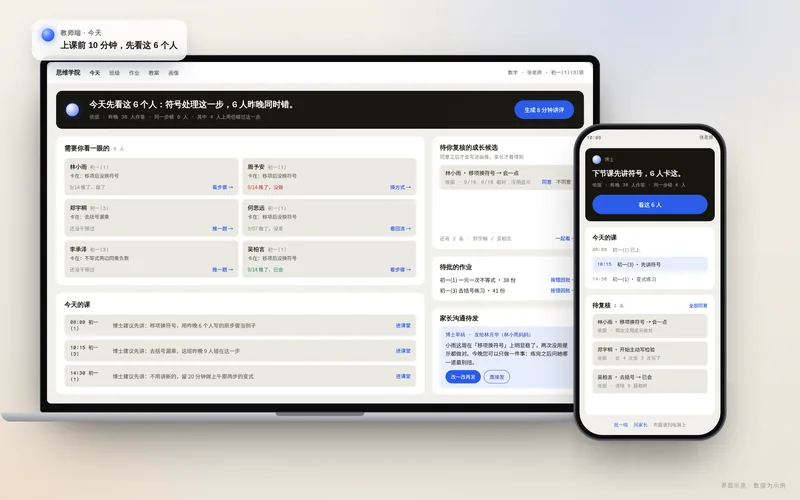
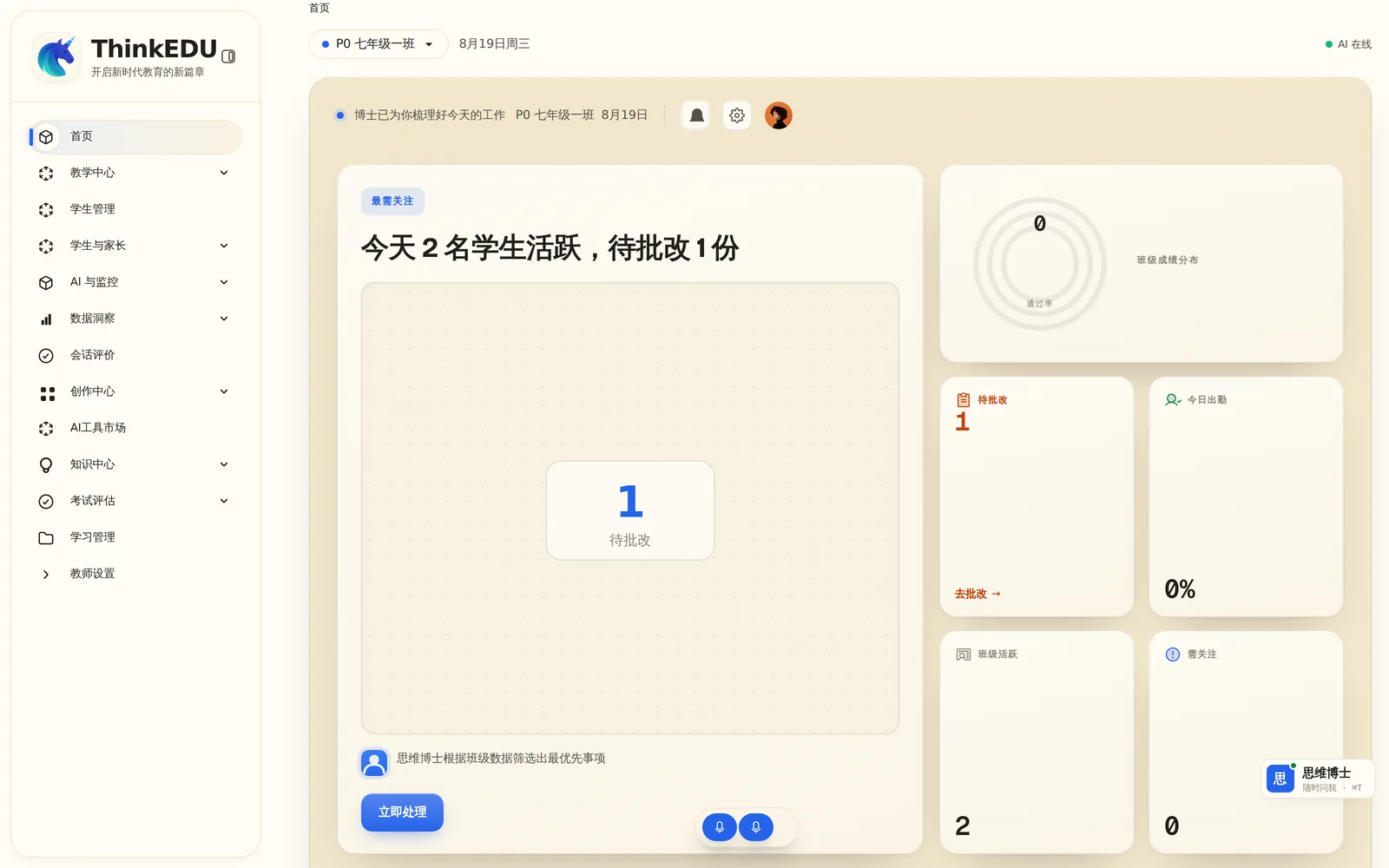
“See these six first today: all six went wrong at the same sign-handling step last night.” Marking is grouped by the step students got wrong, so one comment goes back to a whole group; tonight’s homework is drafted from last night’s answers and tiered automatically. The AI drafts the lesson plan — the teacher only edits.
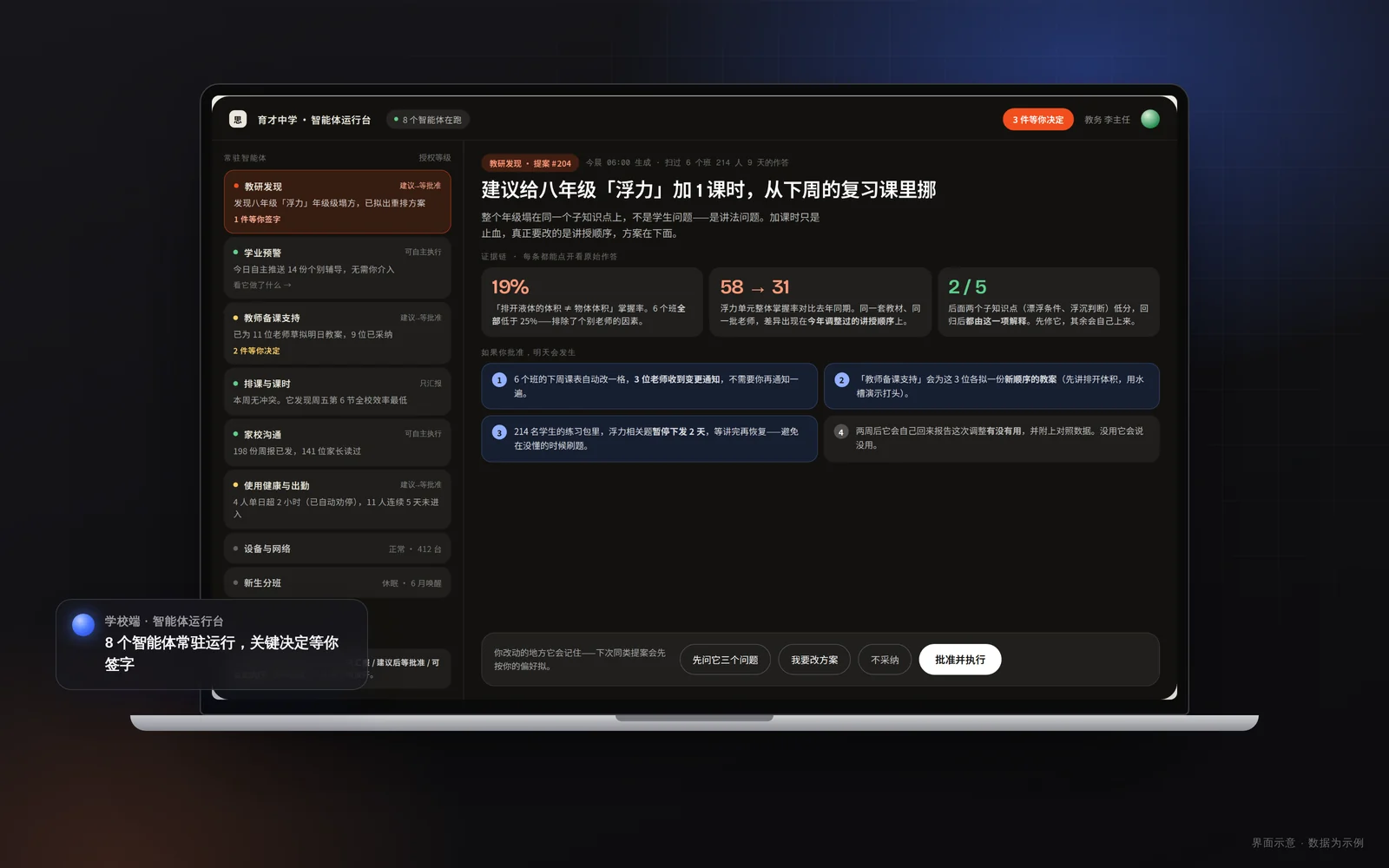
Schools · An agent console, not a reporting back office
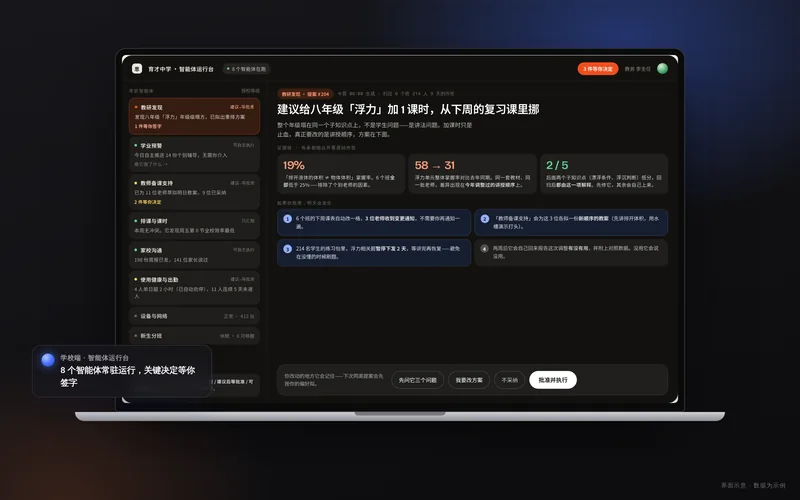
Resident agents work within the authority level you grant them, and anything beyond it becomes a proposal waiting for a signature. Alerts read like plain speech — “Four students in Grade 7 Class 3 haven’t opened the system in three weeks.” Ask “What did Dr. Siwei tell our students last week?” and get the full, auditable answer.
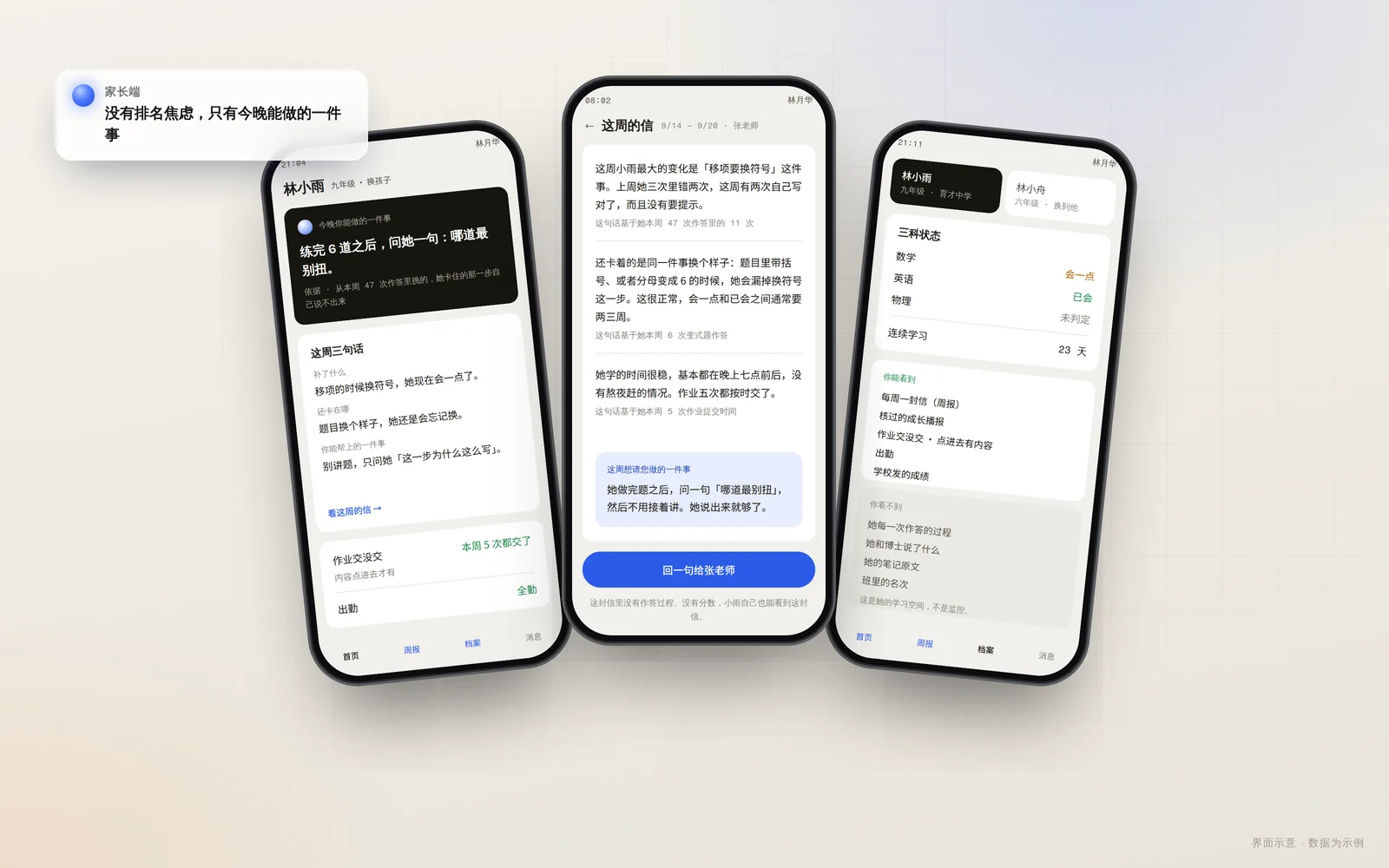
Parents · No ranking anxiety — just one thing you can do
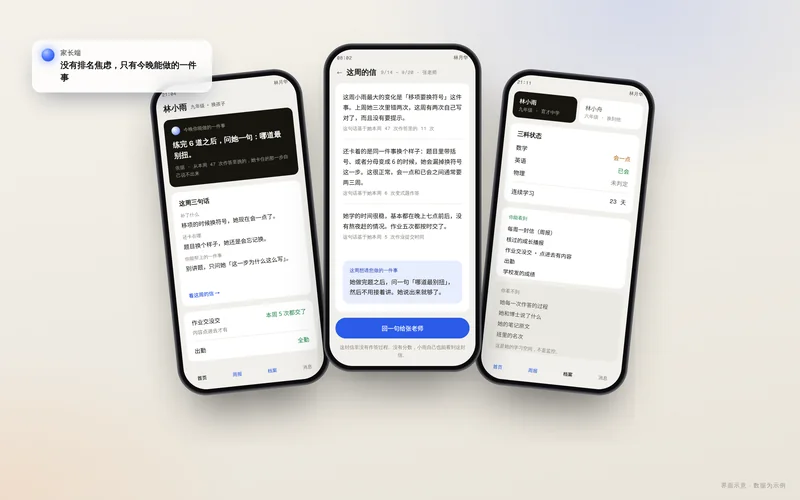
There are no score rankings in the parent view — just “one thing you can do tonight” and a weekly report you can actually read. What you can and cannot see is spelled out plainly, and one account can link more than one child.
In Action
Scenarios
These are product scenarios we can demonstrate live today — not customer case studies. To see how it runs through a real classroom day, book a demo.
OS
Why an OS
A tool stops once it answers. An operating system remembers, judges, and follows through.
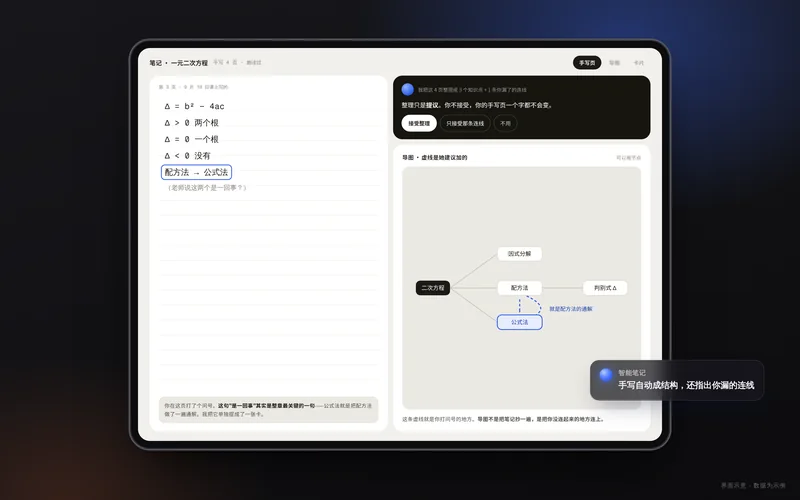
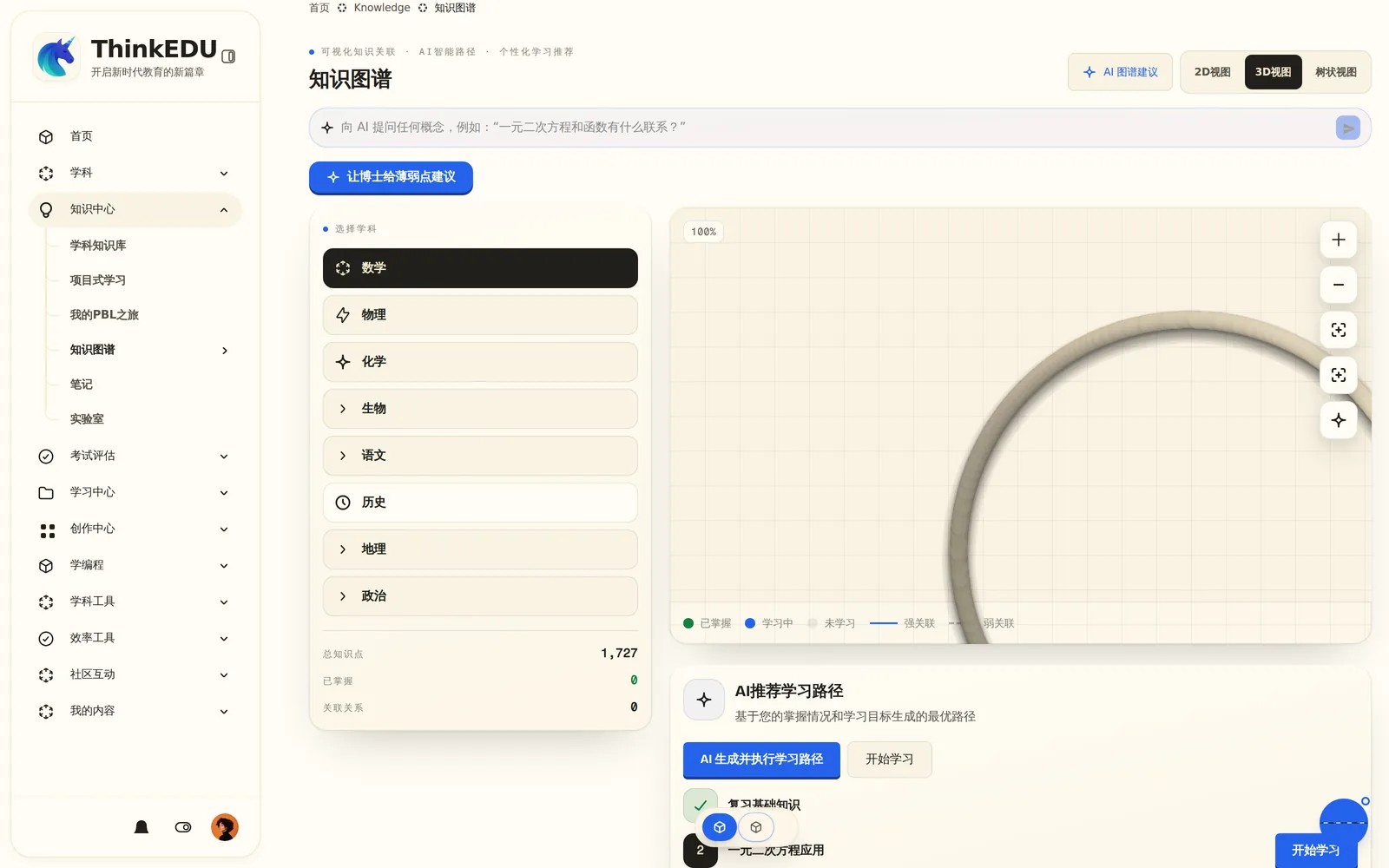
"Answers are everywhere. Working things out is where growth happens."

The evidence loop
Why an education AGI OS, and not one more AI tool?
An answer, a correction, a question that cuts in mid-explanation — each is a piece of evidence. Dr. Siwei reasons over that evidence and proposes the next action; the action clears permissions and a teacher before it lands on the blackboard, the homework, the marking, or an alert; and the result is written back as evidence that updates the learner’s growth profile. Action → evidence → AI analysis → governed action → growth written back — that loop turning across all four portals is what makes it an operating system.
Capabilities

Dr. Siwei at the blackboard
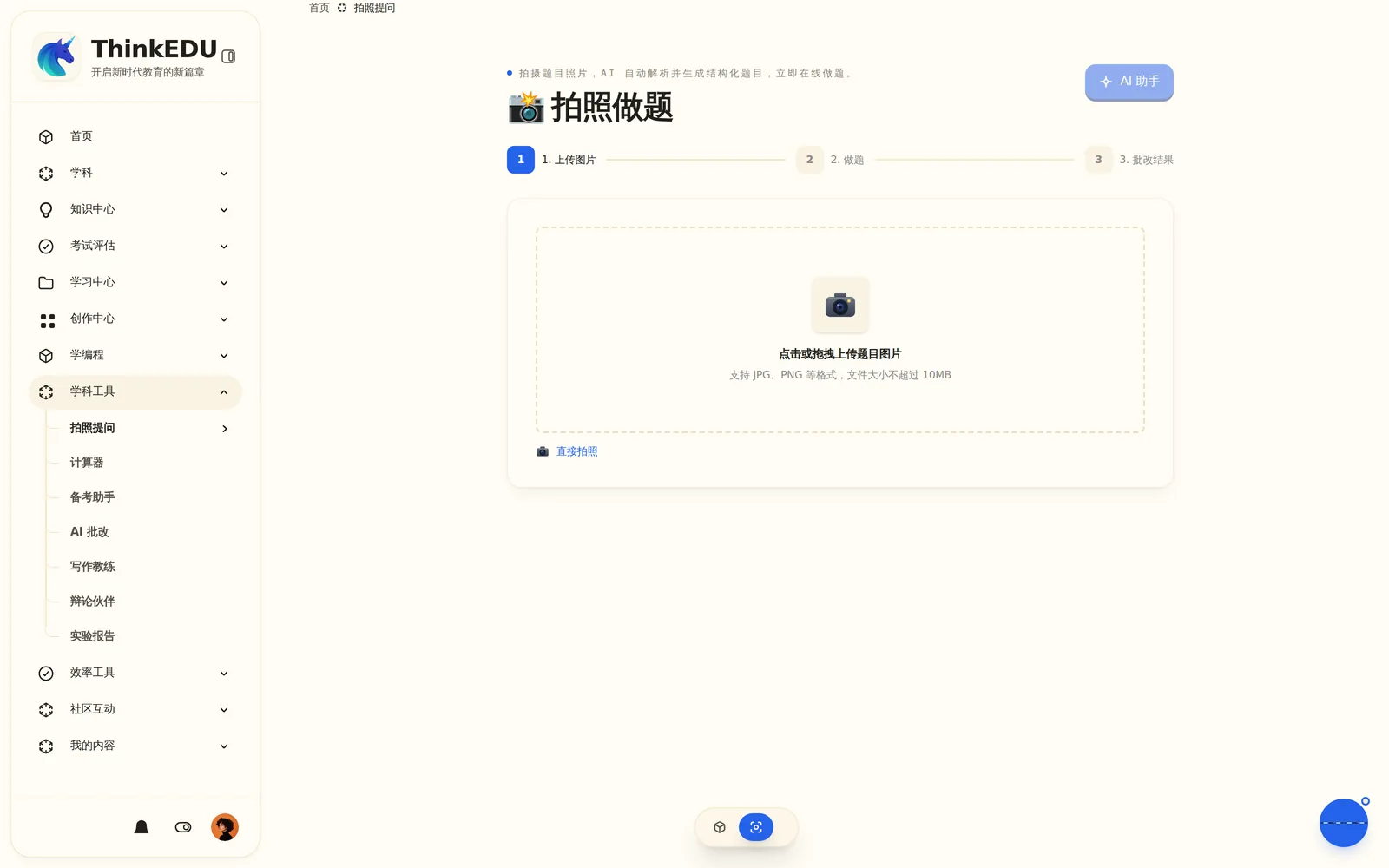
Dr. Siwei is not a Q&A bot. It writes and explains on a blackboard one step at a time, roughly 30 seconds per step, and a student can cut in with a question whenever they like. Snap a problem and it starts explaining as soon as it recognises it; younger learners can simply hold to talk. The same Dr. Siwei is a teaching assistant to teachers, an agent on the school’s console, and a readable weekly report for parents.
Creative Space
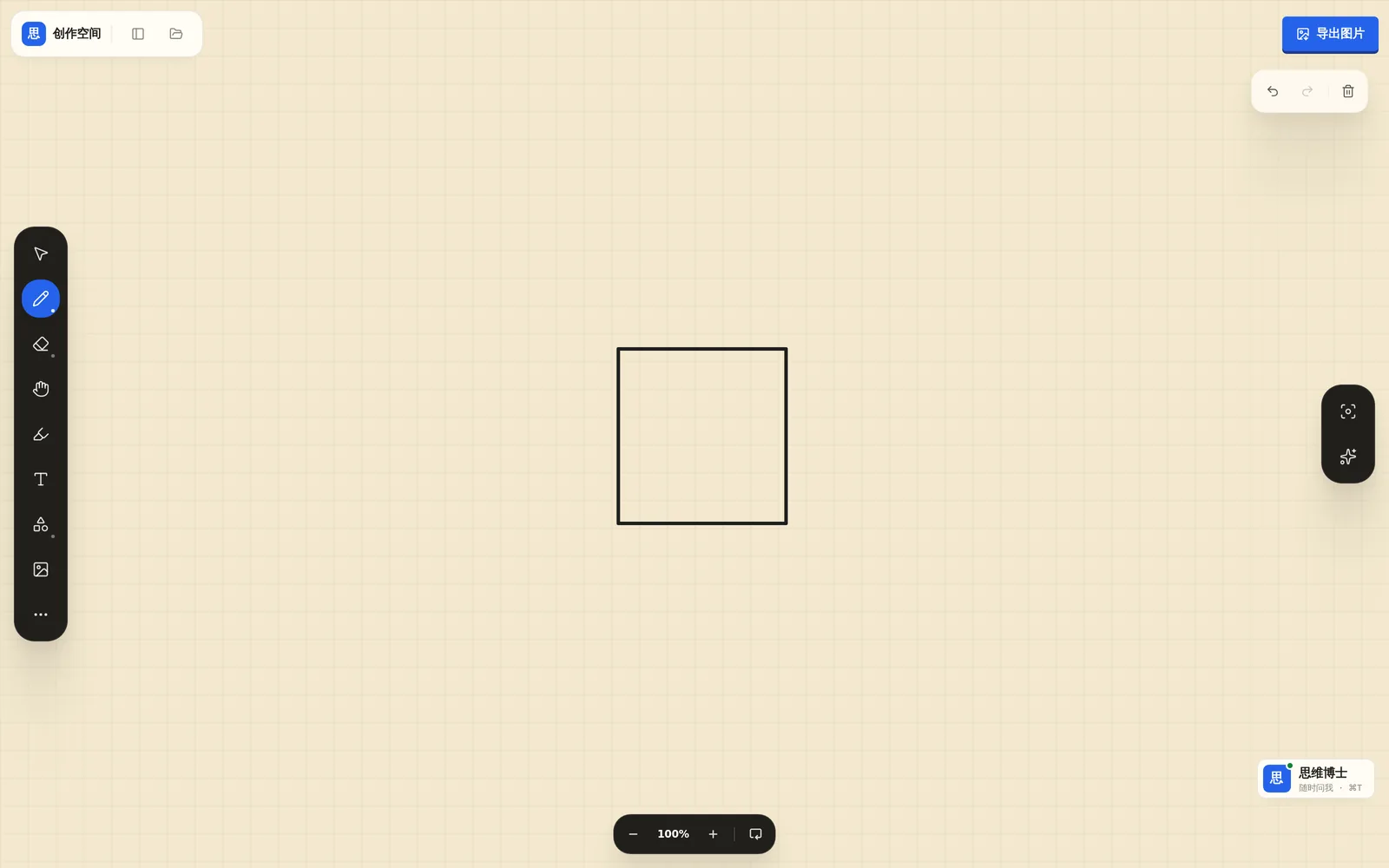
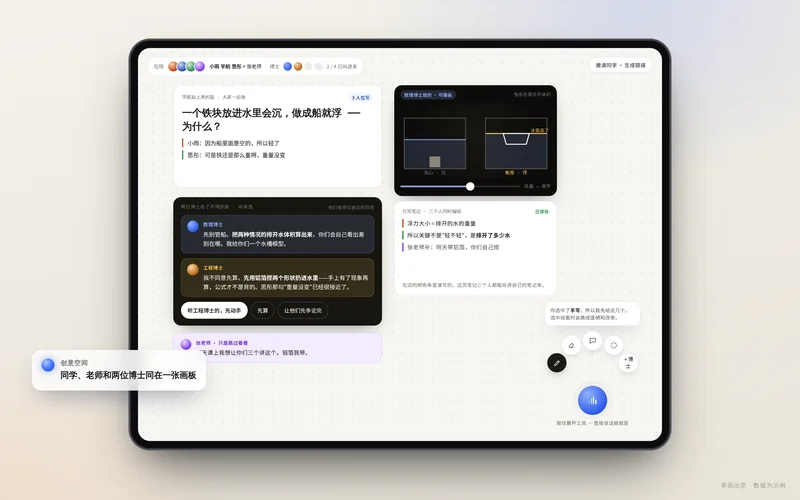
One full-bleed canvas is the student’s whole workbench. Writing, drawing, and working things out all happen there, and Dr. Siwei’s notes are pinned right beside the student’s own strokes instead of in a separate chat box. Notes organise themselves into a structure and point out the link between ideas you missed. Every step leaves a trace that feeds the evidence of growth.
Project-Based Learning
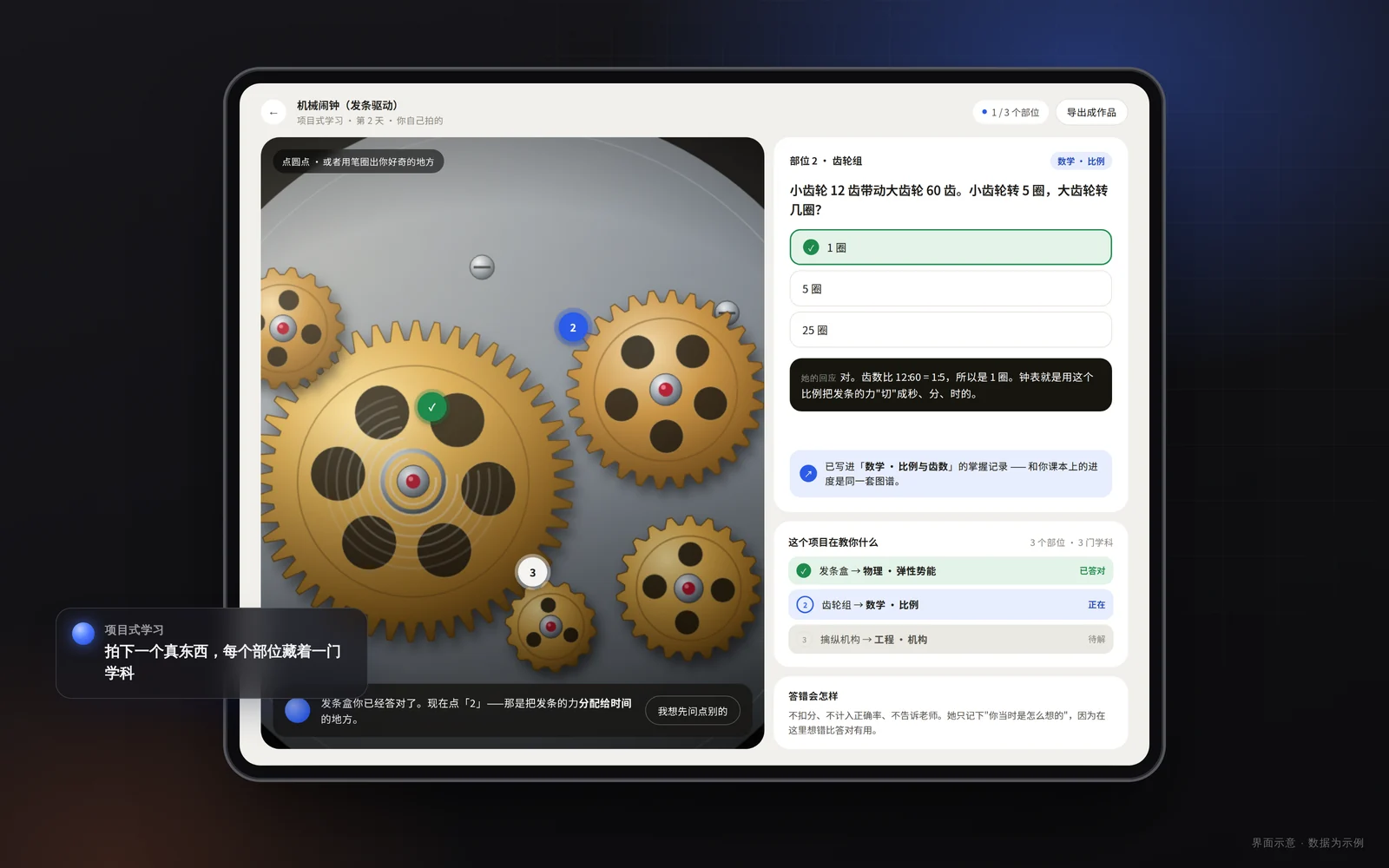
Photograph anything nearby — an alarm clock, a kettle — and tappable parts appear on the image. Tap the gears and answer a physics question; tap the limescale and answer a chemistry one; tap the dial and answer a maths one. Dr. Siwei pitches the depth to the child’s grade, and an interest turns into a cross-subject lesson.
Virtual Labs
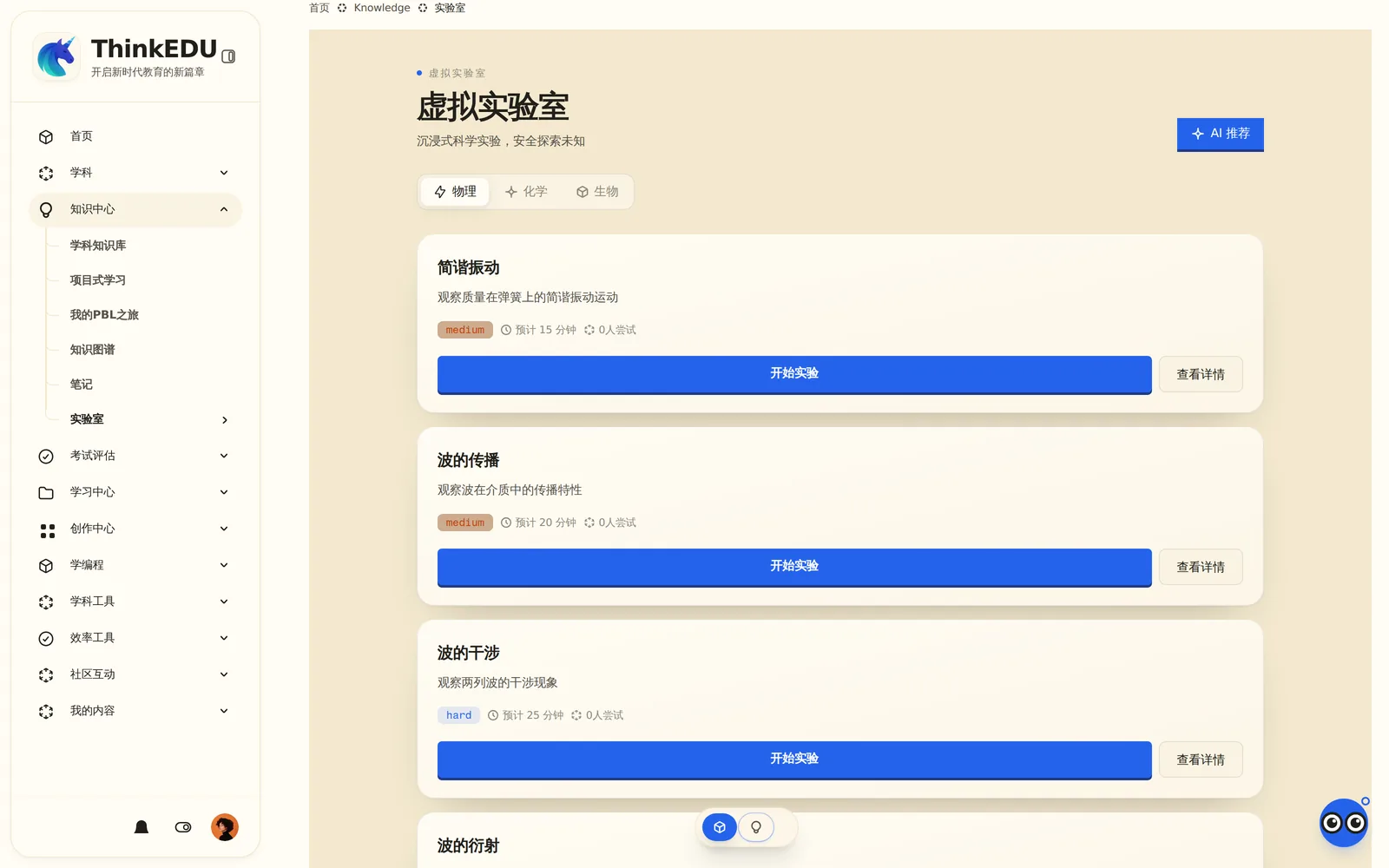
Hazardous reactions, expensive apparatus, and structures nobody can sketch become safe, available, and visual in the browser. Dr. Siwei asks the student to predict first — what happens if you halve this? — and only then to test it. Getting it wrong costs nothing, and every run is archived as learning evidence.
Correction, practice, and growth evidence
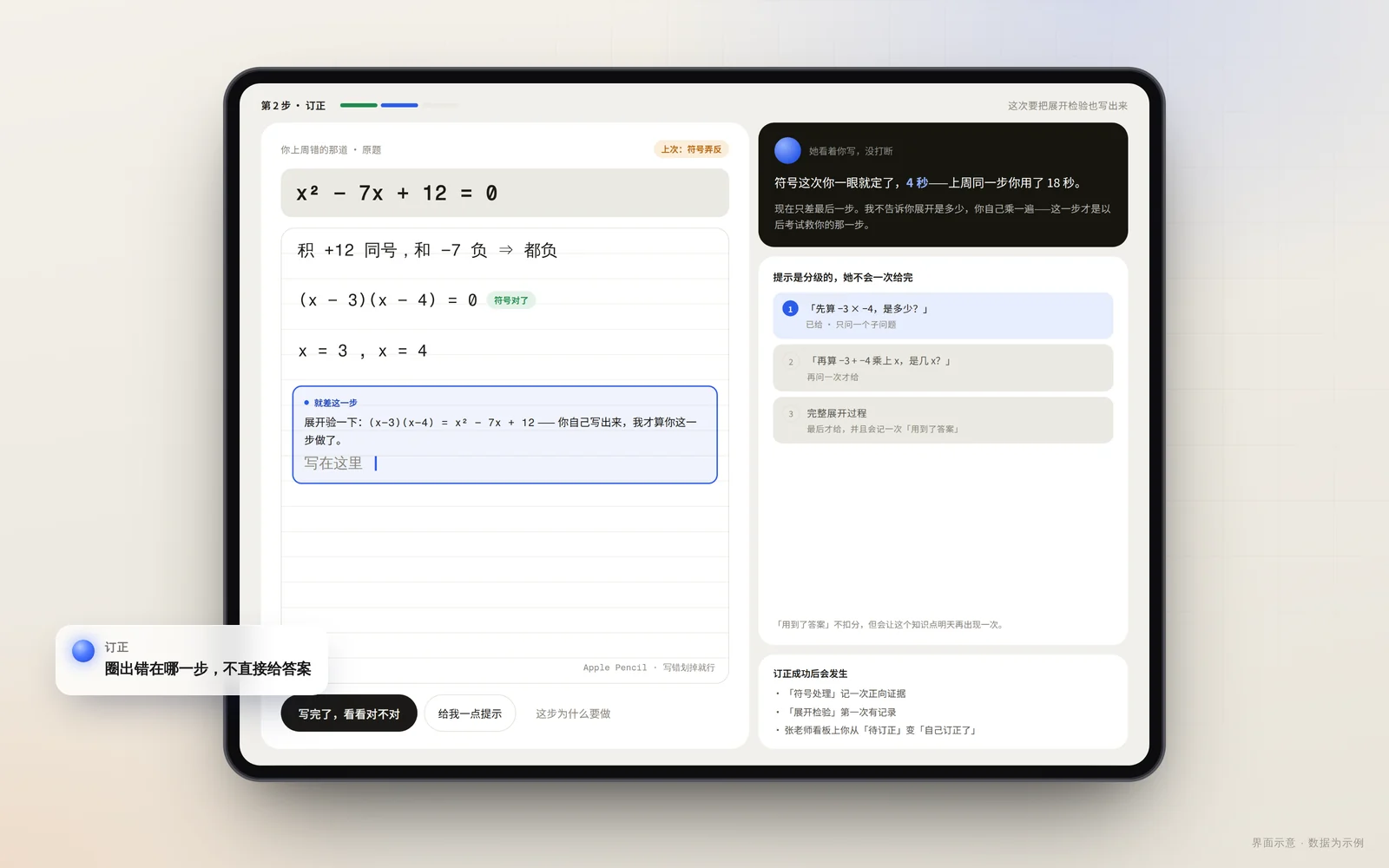
Badges and streaks measure screen time, not understanding. Think EDU records understanding itself: which step went wrong during a correction, how speed on the same problem type keeps improving, what has stuck through spaced review. A growth conclusion enters the learner’s profile only after a teacher reviews and approves it, and every one replays back to the answers and dialogue behind it.
Teacher console
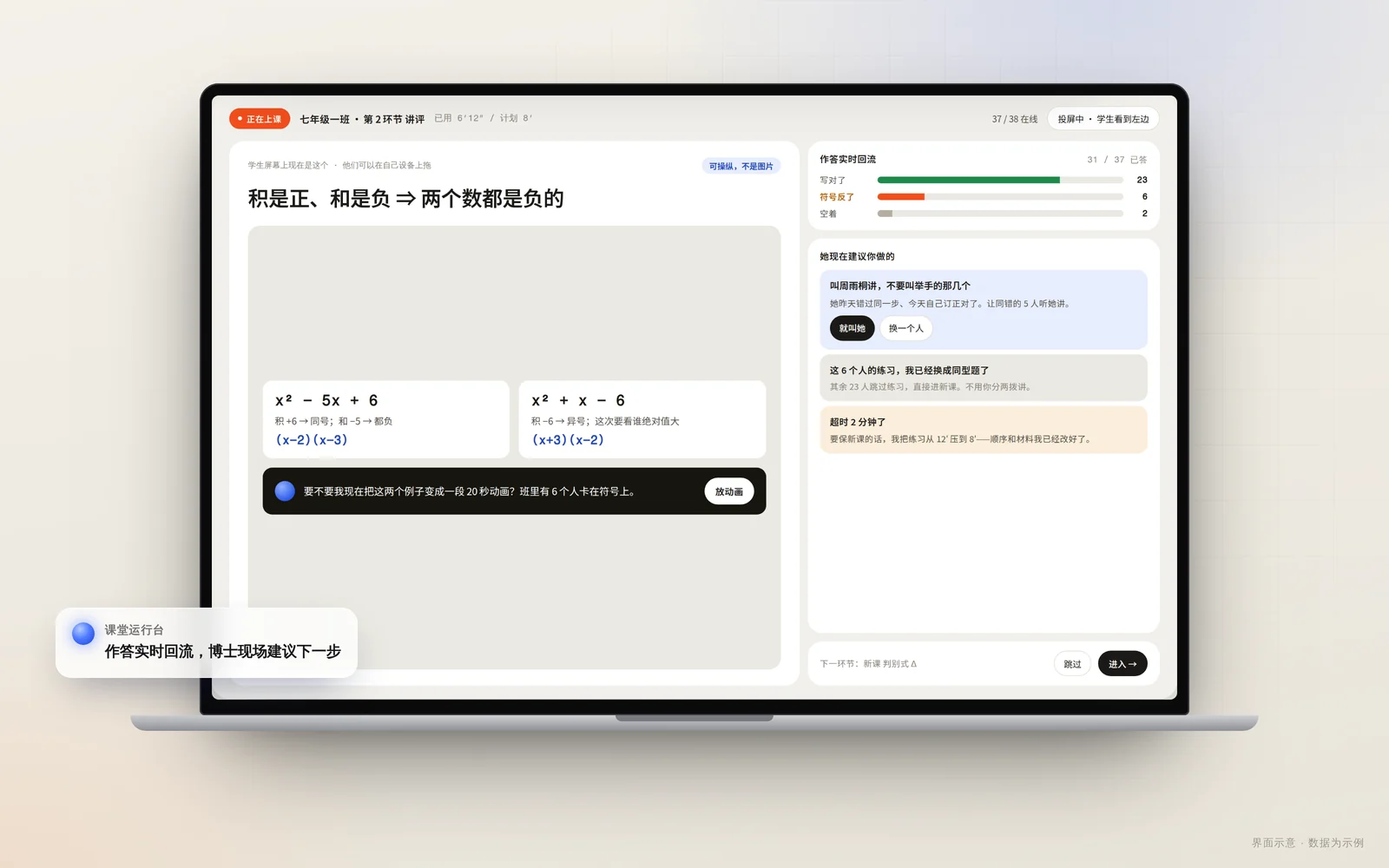
Thirty-eight submissions sorted into groups by the step that went wrong, with one comment sent back per group; tonight’s homework drafted from last night’s answers and tiered automatically; lesson plans drafted by AI and edited by the teacher. In class, a live console replaces the slide deck and answers stream back in real time; a week after an intervention, its effect comes back to you. Messages to parents are drafted by Dr. Siwei too — the teacher edits, then sends.
Safety & governance
We do not promise outcomes. We state the facts we can verify.
Every step replayable, everything auditable
Every answer and correction a student makes, and every explanation or intervention from Dr. Siwei, is written to one event stream. Teachers can replay a session and see exactly where a conclusion came from; a school can ask “What did Dr. Siwei tell our students last week?” and get the complete record. What worked can be shown, and what went wrong can be traced.
Key conclusions need a teacher’s yes
Dr. Siwei can draft, analyse, and propose — but any conclusion written into a learner’s growth profile, any teaching content sent to students, and any message sent to parents goes past a teacher first. Anything beyond its authority becomes a proposal waiting for a signature.
The AI says when it cannot
When a task is beyond it, the system marks it “needs human review” or “unavailable” rather than producing a confident wrong answer. That behaviour is an engineering rule, not a marketing line.
Student data is never sold, and never used to train third-party AI models without separate guardian consent. We do not publish user counts, school counts, or score-improvement claims; outcome claims without third-party research do not belong on this site.
Pricing
Plans
A child’s learning should not sit behind a paywall. Students and families start free; when a child needs more tutoring, a parent can turn on a family subscription from the parent portal. Schools pay for the teacher and school portals and the governance layer — and can pilot with one class for a term before deciding on a wider rollout.
Starter
Dr. Siwei’s blackboard explanations and corrections (fair use)
Creative Space and project-based learning
Spaced review and selected virtual labs
Personal growth record
Parent portal: weekly report and “one thing you can do tonight”
School
Everything in Starter
Teacher portal: morning shortlist, marking by mistake, tiered homework, live classroom
School agent console and early alerts
Authority levels, sign-off proposals, and full audit
Onboarding workshops and pilot support
Institution
Everything in School
One agent console across campuses, with comparison
OAuth and LTI integration
Deployment and data residency by agreement
Dedicated support and governance setup
Talk to us for plan details, pilot terms, and deployment options.
FAQ
What parents, teachers, and school leaders ask us most