Back to scenarios

From one photo to a cross-subject inquiry

Scenario walkthrough · Student · Project-based learning

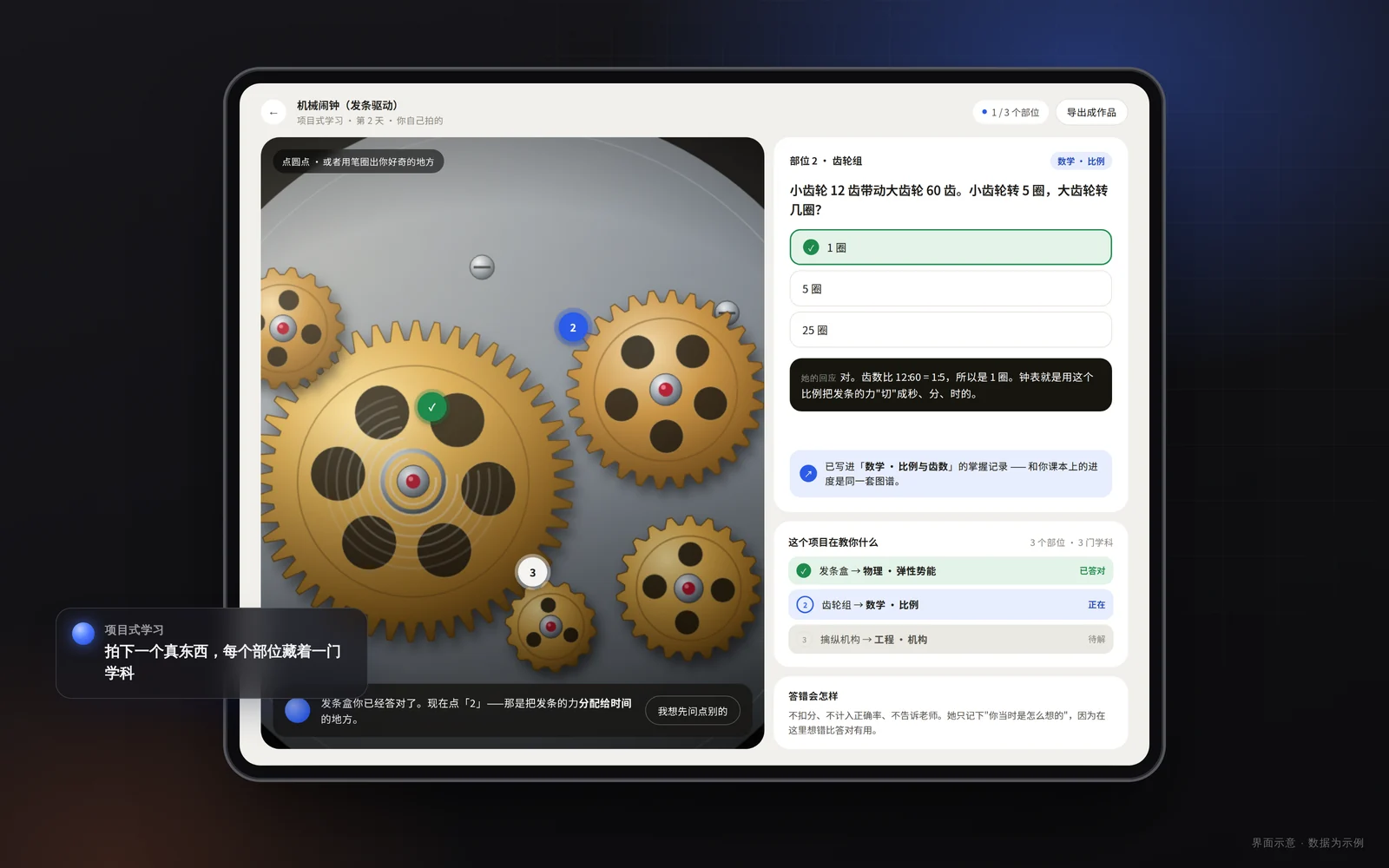
A middle-school student uploads a photo of their own bicycle. Clickable inquiry hotspots appear on the image, and Dr. Siwei helps take it apart layer by layer — mechanics in the gears, chemistry on the chain, geometry in the frame.

These are product scenario walkthroughs showing how Think EDU works inside a real learning flow. They are not client case studies, and they do not represent outcomes from any school or student.

From one photo to a cross-subject inquiry

The real difficulty

Children are curious about everything, yet curiosity rarely turns into structured learning: questions come and go, scattered across subjects. And building a project around each child’s interest is time no teacher’s timetable can spare.

How Think EDU works here

Project-based learning starts from an image. Upload a photo of the object, and the system renders clickable inquiry hotspots on it; Dr. Siwei unfolds them into cross-subject threads pitched at the student’s grade band, asking questions as a co-investigator instead of lecturing. The student picks a thread to follow, and the tasks, notes, and artifacts all stay in Creative Space — while the teacher-side project view follows the same project.
What this scenario leaves behind

  • One photo opens into threads across physics, materials, and geometry — the student decides which to follow first.
  • Questions, attempts, and revisions are written to the event stream, so the whole inquiry can be replayed in order.
  • What remains is the path of the inquiry, not just a submitted result — teachers can see where the student changed direction.

Next scenario: When homework stalls, the wrong step gets circled — not the answer handed over

View scenario