01
Actions become evidenceQuestions, annotations, experiments, submitted work — every step goes into one record instead of scattering across features.
Think EDU is an education AGI OS for K12. Students, teachers, schools, and parents all work with the same Dr. Siwei and the same chain of evidence — each gets a role-safe view and a different kind of help. Pick your role and see what it does for you.
Action → evidence → AI analysis → governed action → growth written back. All four portals share this one loop instead of each watching their own fragment.
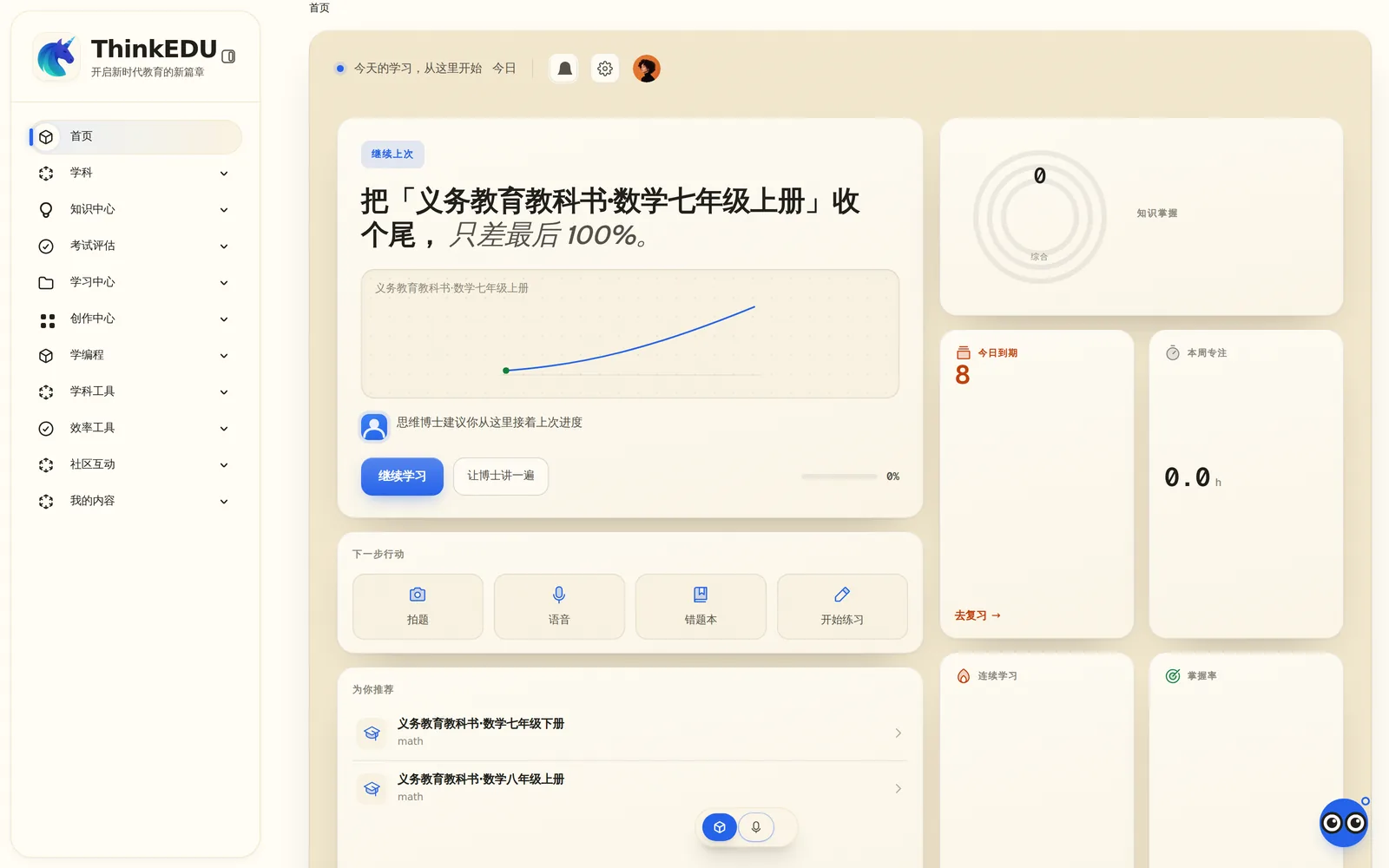
The question you did not dare raise your hand for? Ask it a hundred times here. Dr. Siwei explains on a blackboard one step at a time — about 30 seconds a step — and you can cut in whenever you like. When you correct your work it circles the step that went wrong and lets you fix it, then gives you problems of the same type until your growing speed shows the habit has formed. Snap a problem and it starts explaining; hold to talk to ask; use spare minutes for spaced review. Photograph an alarm clock, tap a part, and answer a question from a real subject.
Think EDU is an education AGI OS for K12. Students, teachers, schools, and parents all work with the same Dr. Siwei and the same chain of evidence — each gets a role-safe view and a different kind of help. Pick your role and see what it does for you.
The question you did not dare raise your hand for? Ask it a hundred times here. Dr. Siwei explains on a blackboard one step at a time — about 30 seconds a step — and you can cut in whenever you like. When you correct your work it circles the step that went wrong and lets you fix it, then gives you problems of the same type until your growing speed shows the habit has formed. Snap a problem and it starts explaining; hold to talk to ask; use spare minutes for spaced review. Photograph an alarm clock, tap a part, and answer a question from a real subject.
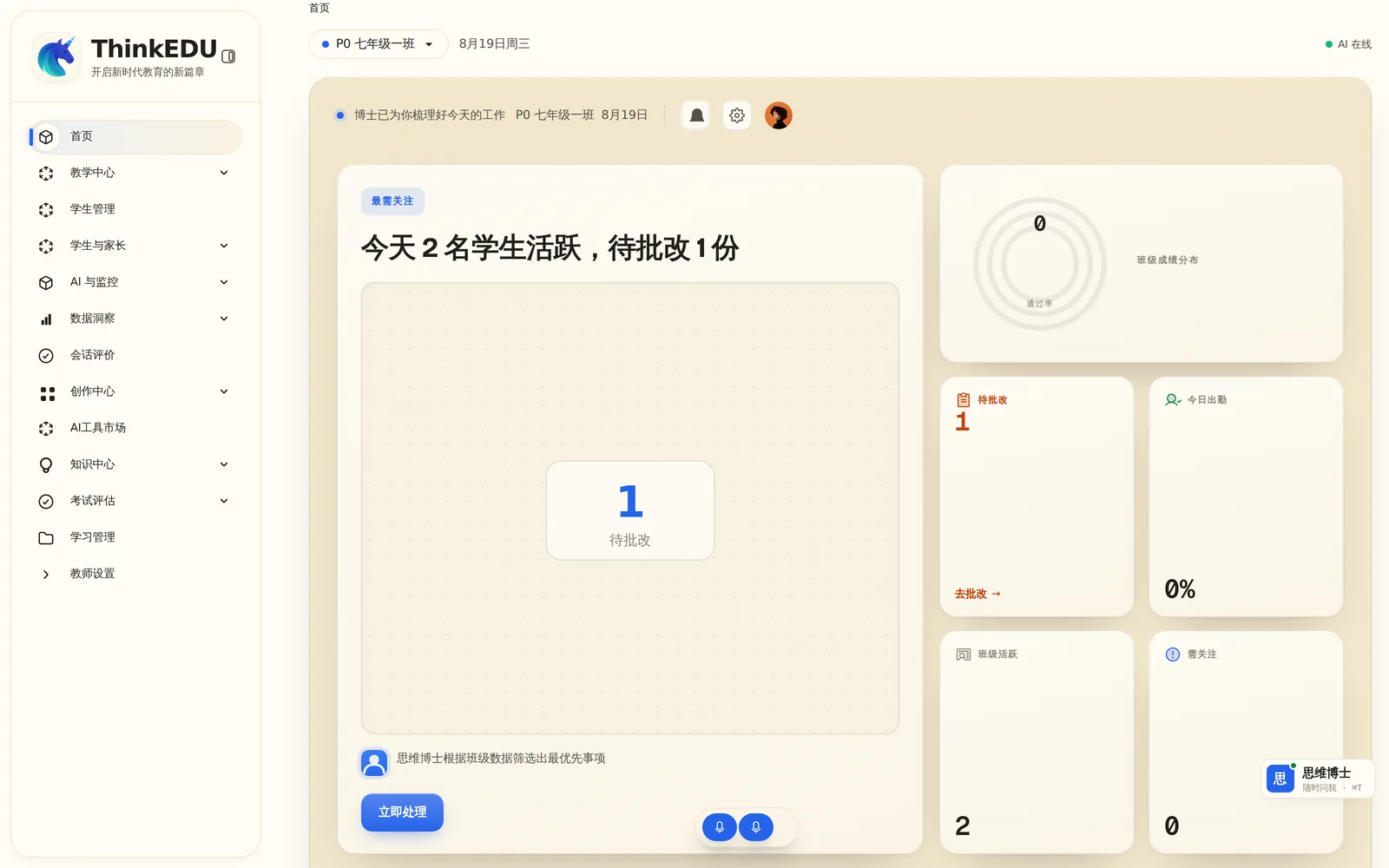
“See these six first today: all six went wrong at the same sign-handling step last night.” Thirty-eight submissions are grouped by the step that went wrong, and one comment goes back to a whole group; tonight’s homework is drafted from last night’s answers and tiered automatically; the AI drafts the lesson plan and you only edit. In class, a live console replaces the slide deck and answers stream back in real time; a week after an intervention, its effect comes back to you. Growth conclusions reach a profile only with your approval, and messages to parents are drafted by Dr. Siwei for you to edit and send. AI is a collaborator in education, not a replacement for it.
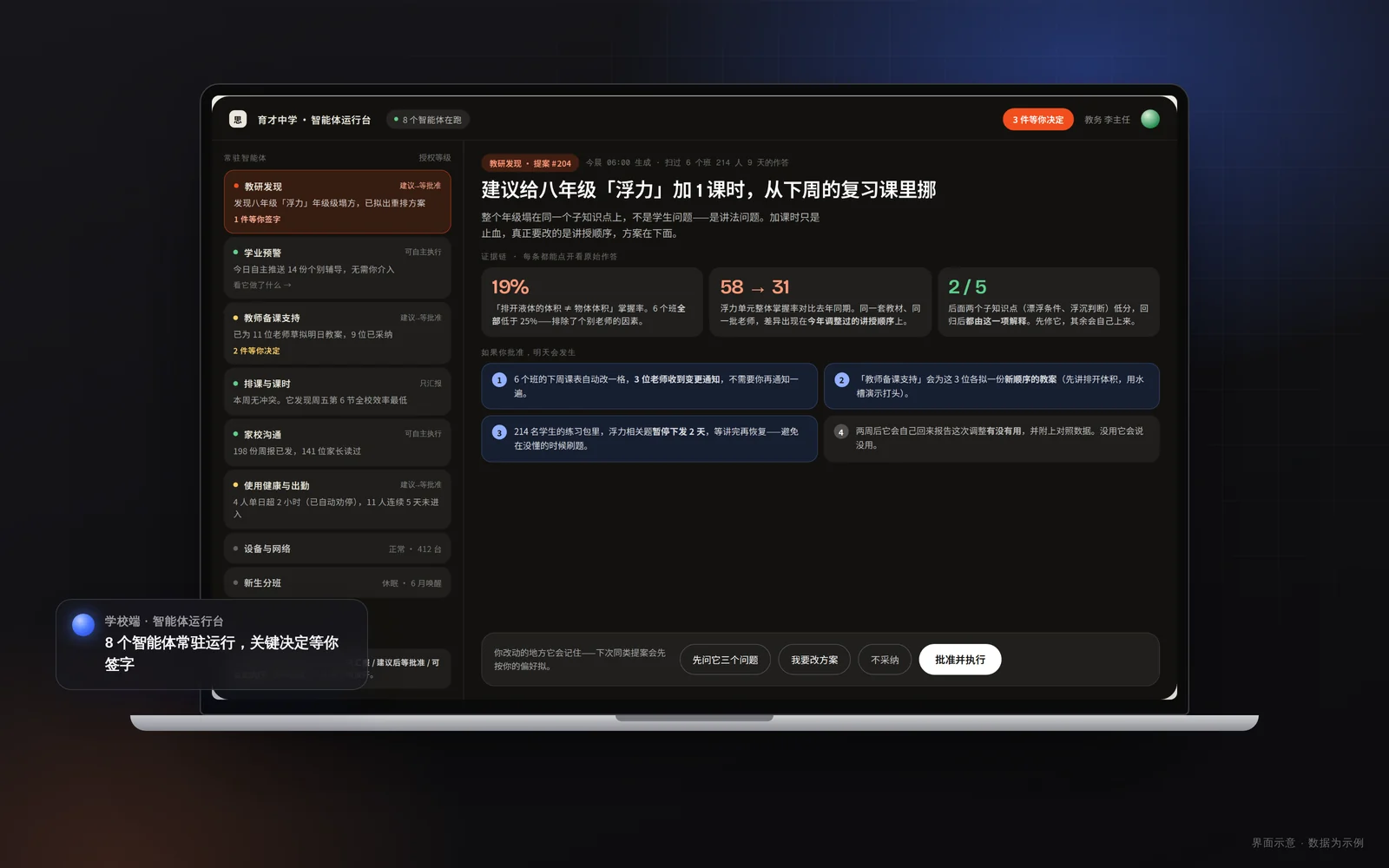
Adopting AI should not be an uncontrolled experiment. The school portal is an agent console: resident agents keep working at the authority level you grant, and anything beyond it becomes a proposal waiting for your signature. Alerts read like plain speech — “Four students in Grade 7 Class 3 haven’t opened the system in three weeks.” The data view is not a fixed report: say what you want to know and it rebuilds around your question, and score changes can be traced back to specific teaching actions. You can also ask “What did Dr. Siwei tell our students last week?” and get a complete, auditable record. Start with one classroom, and let the evidence decide how far it goes.
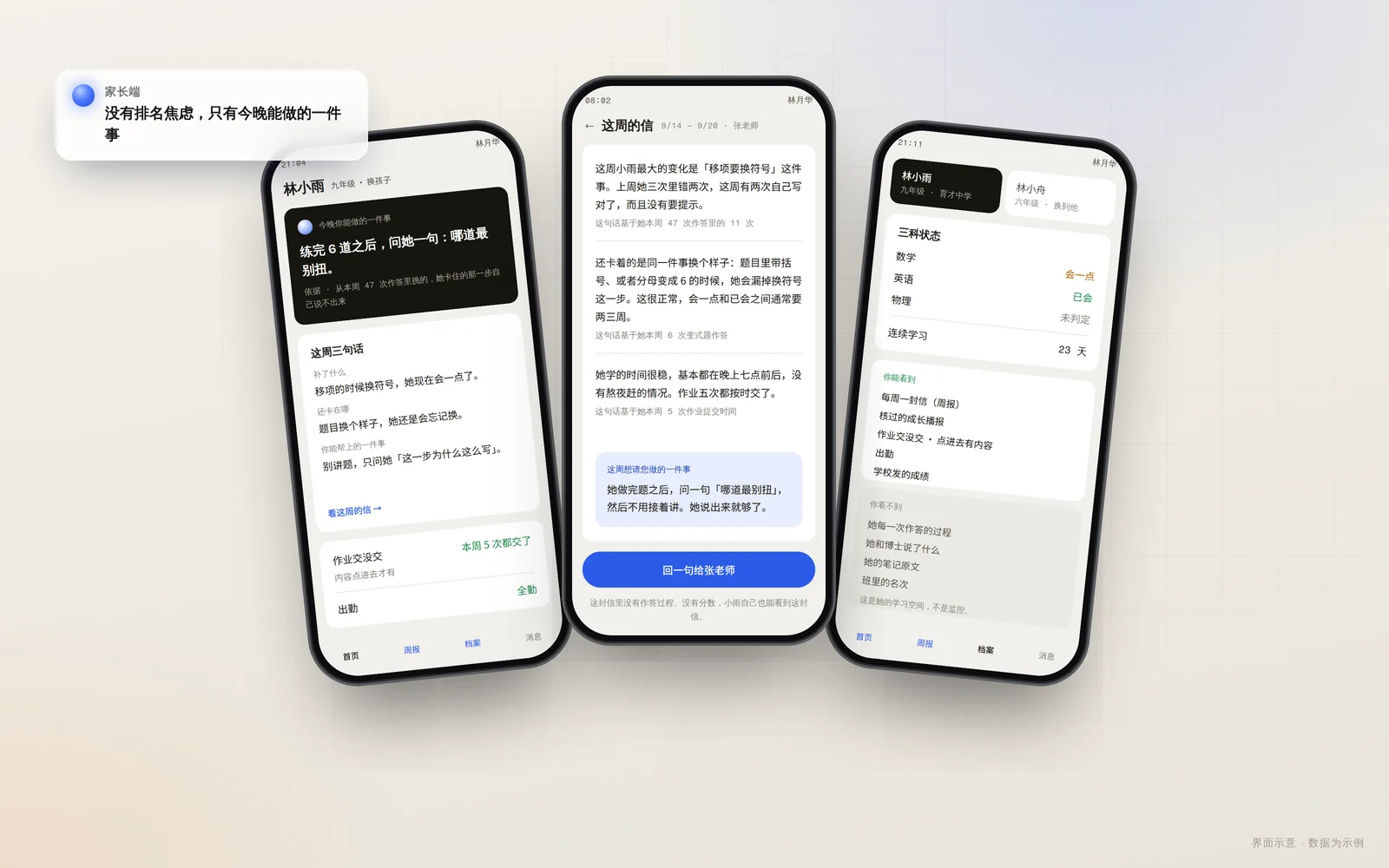
There are no score rankings in the parent portal. What you get is a weekly report you can actually read — what your child has been learning, how their understanding has changed, where they need support — plus “one thing you can do tonight,” down to a single sentence or action. What you can and cannot see is spelled out plainly, and one account can link more than one child. None of this replaces everyday care or professional help when needed.
Questions, annotations, experiments, submitted work — every step goes into one record instead of scattering across features.
Dr. Siwei reasons from that record and proposes the next action. Every action passes an authority check first: within its level it runs, beyond it becomes a proposal awaiting a signature. Outputs are projected by role, so parents do not see what they should not, and the AI does not leak across roles.
The result of each action is written back as new evidence and updates the growth profile — and a growth conclusion is recorded only once a teacher approves it. Any conclusion replays back to the raw evidence; a teacher can overrule it, and a school can audit it.